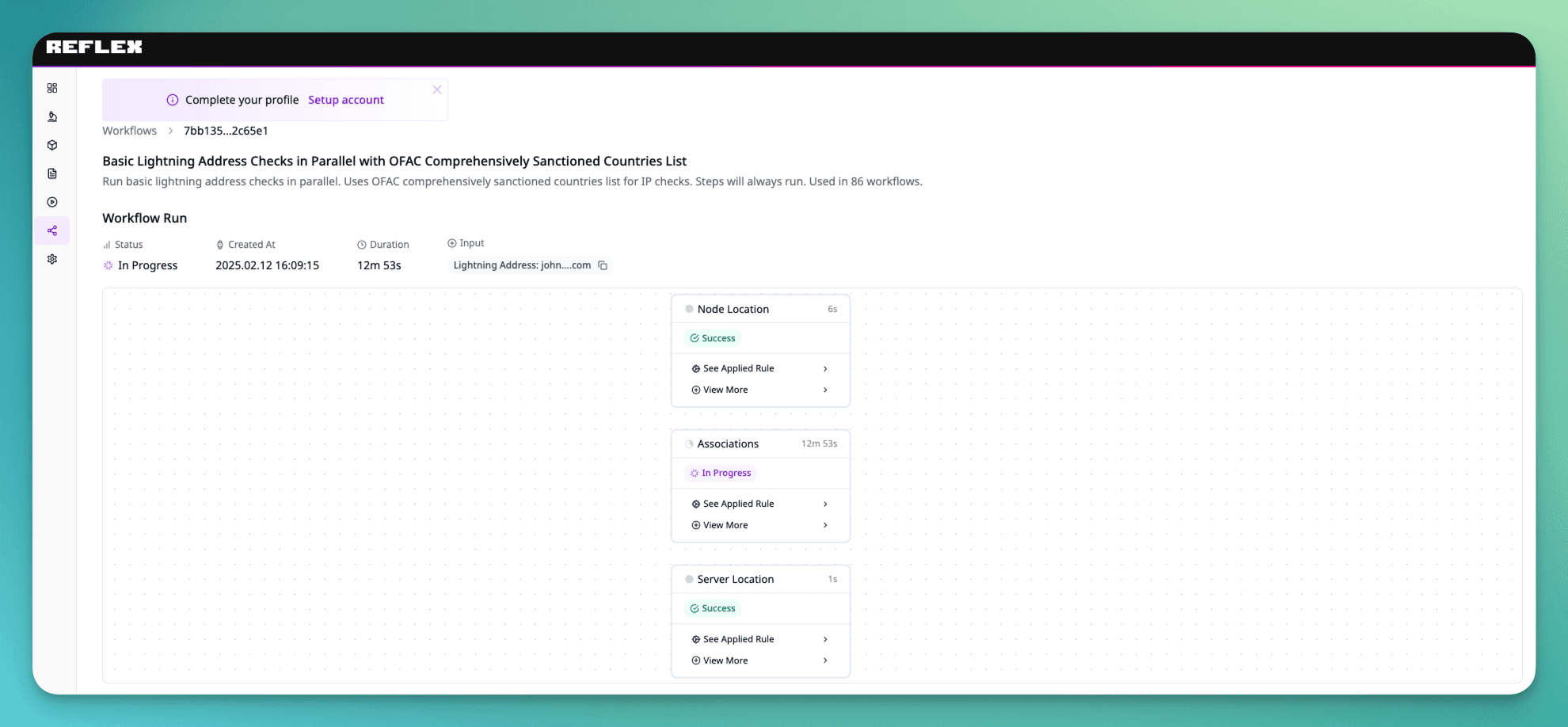
Check a Lightning Address
Step-by-step Reflex workflow to screen a Lightning Address for compliance, sanctions, and risk indicators before transacting.
This guide walks you through running a workflow to check a Lightning Address for compliance and risk issues.
You need to have an API key for this tutorial. Check how to authenticate your API calls here.
Template
Reflex provides a template for running checks against an address using OFAC comprehensively sanctioned countries list for IP checks.
Template ID: 6360c2fa-5457-45ee-95eb-726783c07b31Custom templates are only available to enterprise users. Please reach out if you need access to custom templating features.
Running the workflow
For this walkthrough we'll run checks against the address [email protected], passing a webhook URL to get notified of the result and an email address to receive the workflow report on failure.
Send the mutation
Call the workflows.runs.create mutation with the template ID and the target address.
mutation Create($input: WorkflowRunInput!) {
  workflows {
    runs {
      create(input: $input) {
        workflow_run_id
      }
    }
  }
}
Variables:
{
  "input": {
    "template_id": "6360c2fa-5457-45ee-95eb-726783c07b31",
    "webhook_url": "https://webhookendpoint.com",
    "workflow_input": [
      {
        "name": "LN_ADDRESS",
        "value": "[email protected]"
      }
    ],
    "notification_settings": {
      "emails": [
        {
          "email": "[email protected]"
        }
      ],
      "trigger": {
        "type": "STATUS",
        "status": "FAILURE"
      }
    }
  }
}
Receive the workflow_run_id
Once started, you'll receive a workflow_run_id. Use it to query additional information about the run.
{
  "data": {
    "workflows": {
      "runs": {
        "create": {
          "workflow_run_id": "7bb13548-55ec-4107-ab46-6a92f32c65e1"
        }
      }
    }
  }
}