
Buy Liquidity
Purchase inbound Lightning capacity through the Magma API. Estimate cost, place a buy order, pay the invoice, and confirm the channel.
This guide is the reference for the buyer side of the Magma API. By the end you'll be able to:
- Quote a channel's cost before charging your user
- Place a buy order with
liquidity.buy - Hand the buyer a Lightning invoice to pay
- Track the order through to a confirmed channel
For a wider walkthrough with production checklist, see Integrate. For the LSP-compatible REST path, see the LSP API.
Overview
Buying liquidity is a two-step flow:
Call liquidity.buy
Provide the buyer's connection_uri, the amount in usd_cents, and any optional channel options.
Pay the returned invoice
Pay the returned lightning_invoice directly, or render it for the buyer as a QR code or lightning: URI. There is no hosted checkout page, so redirect_url comes back null.
Once paid, the seller opens the channel and the order walks through the order lifecycle until it reaches VALID_CHANNEL_OPENING.
liquidity.buy is public - you can call it without an API key. The response includes a session_key that lets the same anonymous buyer come back to track their order. See Authentication.
1. Estimate the price
Use liquidity_per_usd to quote channel size for a given USD amount. Pure query, no auth required, safe to retry.
query LiquidityPerUsd {
  market {
    liquidity {
      liquidity_per_usd {
        sats
        usd
      }
    }
  }
}
curl -X POST https://magma.amboss.tech/graphql \
-H "Content-Type: application/json" \
-d '{"query":"query { market { liquidity { liquidity_per_usd { sats usd } } } }"}'import { GraphQLClient, gql } from "graphql-request";
const magma = new GraphQLClient("https://magma.amboss.tech/graphql");
const { market } = await magma.request(gql`
query {
market { liquidity { liquidity_per_usd { sats usd } } }
}
`);
console.log("sats per $1:", market.liquidity.liquidity_per_usd.sats);{
"data": {
"market": {
"liquidity": {
"liquidity_per_usd": { "sats": "543260", "usd": "501.09" }
}
}
}
}Reading the response
| Field | Meaning |
|---|---|
sats | Satoshis of inbound capacity per USD spent. |
usd | Expected dollar-receiving capacity per USD spent. At a ratio of ~500, $1 of fees can carry ~$500 of routed payments. |
Example quotes (at the rate above)
- $5 → ~2.7M sats
- $50 → ~27M sats
- $100 → ~54M sats
You can also see live estimates on the Magma homepage.
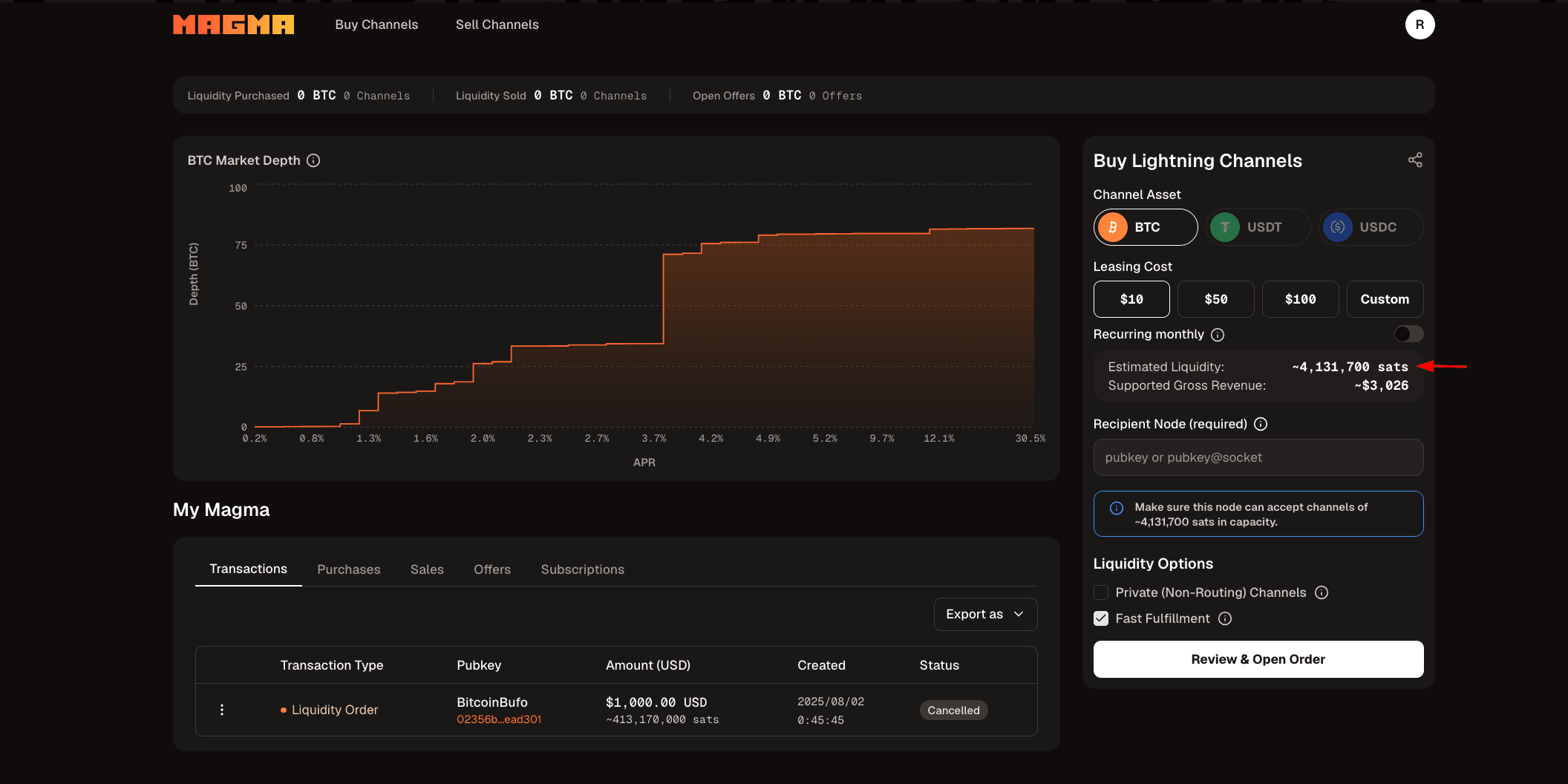
The estimate reflects current marketplace depth and can shift between the query and your liquidity.buy call. Don't treat it as a binding quote.
2. Authenticate (optional)
For anonymous one-off purchases, skip this. Otherwise mint an API key at account.amboss.tech/settings/api-keys and send it as a Bearer token.
Authorization: Bearer YOUR_API_KEY
See Authentication for the full credential matrix (API keys vs session keys).
3. Place the buy order
The liquidity.buy mutation takes a LiquidityOrderInput and returns:
- A Lightning invoice (
payment.lightning_invoice) the buyer can pay directly - A
redirect_urlthat is alwaysnull. It only ever held the retired BTCPay checkout link - An
order.transaction_idyou'll use to track the order - An
account.session_keyfor anonymous buyers - save it, it's not retrievable later
mutation BuyLiquidity($input: LiquidityOrderInput!) {
  liquidity {
    buy(input: $input) {
      account { id session_key }
      order { transaction_id usd_cents }
      payment {
        lightning_invoice
        amount { sats }
      }
    }
  }
}
{
"input": {
"connection_uri": "024ae5265b5f4d1c789010f479d6b5a2e2c26948d301b00e170c1ed6f6c81c717a@bb4iz3w54euuhq2plh75jtrc4ogvafgz5vyjapwj2z24sl7f5b2nbgid.onion:9735",
"usd_cents": "5000",
"options": {
"private": false,
"rails_cluster_only": true
}
}
}curl -X POST https://magma.amboss.tech/graphql \
-H "Content-Type: application/json" \
-H "Authorization: Bearer $AMBOSS_API_KEY" \
-d @- <<'JSON'
{
"query": "mutation($input: LiquidityOrderInput!) { liquidity { buy(input: $input) { account { id session_key } order { transaction_id usd_cents } payment { lightning_invoice amount { sats } } } } }",
"variables": {
"input": {
"connection_uri": "024ae5265b5f4d1c789010f479d6b5a2e2c26948d301b00e170c1ed6f6c81c717a@bb4iz3w54euuhq2plh75jtrc4ogvafgz5vyjapwj2z24sl7f5b2nbgid.onion:9735",
"usd_cents": "5000",
"options": { "rails_cluster_only": true }
}
}
}
JSONimport { GraphQLClient, gql } from "graphql-request";
const TOKEN = process.env.AMBOSS_API_KEY;
const client = new GraphQLClient("https://magma.amboss.tech/graphql", {
headers: TOKEN ? { Authorization: `Bearer ${TOKEN}` } : {},
});
const BUY = gql`
mutation BuyLiquidity($input: LiquidityOrderInput!) {
liquidity {
buy(input: $input) {
account { id session_key }
order { transaction_id usd_cents }
payment { lightning_invoice amount { sats } }
}
}
}
`;
async function buyLiquidity({ connectionUri, usd, options = {} }) {
const { liquidity } = await client.request(BUY, {
input: {
connection_uri: connectionUri,
usd_cents: String(Math.round(usd * 100)),
options,
},
});
return liquidity.buy;
}
const order = await buyLiquidity({
connectionUri: "[email protected]:9735",
usd: 50,
options: { rails_cluster_only: true },
});
console.log("Lightning invoice :", order.payment.lightning_invoice);
console.log("Session key :", order.account.session_key);LiquidityOrderInput
| Field | Required | Type | Description |
|---|---|---|---|
connection_uri | ✅ | String | pubkey@host:port - the destination node. Tor sockets (*.onion:9735) work. Get it from lncli getinfo (LND) or lightning-cli getinfo (CLN). |
usd_cents | ✅ | String | Integer string in USD cents. Minimum 500 ($5). |
redirect_url | ❌ | String | Accepted but no longer used. It only applied to the retired BTCPay checkout page. Safe to omit. |
options.private | ❌ | Boolean | Open an unannounced (private) channel. |
options.rails_cluster_only | ❌ | Boolean | Restrict matching to the Amboss Rails cluster - higher-reliability sellers. |
options.asset_id | ❌ | String | Non-BTC asset id. List with the assets.list query. Omit for Bitcoin. |
Response shape
| Path | Description |
|---|---|
payment.lightning_invoice | Nullable in the schema, though always present in practice. BOLT11 invoice. Pay this and the order moves forward. |
payment.redirect_url | Always null. It only ever held the retired BTCPay hosted checkout link. Use payment.lightning_invoice. |
payment.amount.sats | The invoice amount in sats - useful for showing the buyer total fees. |
order.transaction_id | Use this as order_id in all follow-up queries. |
order.usd_cents | Echo of the amount you requested. |
account.id | Account ID (auto-created for anonymous buyers). |
account.session_key | Bearer token for anonymous tracking - save it. |
Example response
{
  "data": {
    "liquidity": {
      "buy": {
        "account": {
          "id": "54b9e82d-39d0-42b9-9229-f67786cdf145",
          "session_key": "b65b867c345468a0a2e07b3b86aa3078"
        },
        "order": {
          "transaction_id": "ec562479-a4b8-44f4-95b4-150b310832de",
          "usd_cents": "5000"
        },
        "payment": {
          "lightning_invoice": "lnbc125u1p53epcypp5...",
          "amount": { "sats": "125000" }
        }
      }
    }
  }
}
Minimum amount is $5 (500 cents). liquidity.buy is not idempotent - every call creates a new order. If a request times out, reconcile via user.transactions.transaction_list before retrying.
4. Pay the invoice
Two common patterns:
| Pattern | What you do |
|---|---|
| End-user wallet | Render payment.lightning_invoice as a QR code or lightning: URI. The buyer scans it. |
| Programmatic | Pay payment.lightning_invoice directly from your own node (lncli payinvoice, equivalent RPC). |
The instant the HTLC lands, payment_status flips to SUCCESSFUL_PAYMENT and status advances to WAITING_FOR_CHANNEL_OPEN.
5. Track the order
Authenticate with your API key or session_key, then poll user.market.orders.get_order. See Tracking Orders for the recommended cadence and a reference polling loop.
query GetOrder($orderId: String!) {
  user {
    market {
      orders {
        get_order(order_id: $orderId) {
          status
          payment_status
          channel_id
          confirmations { confirmations }
        }
      }
    }
  }
}
Stop polling at any terminal status. On VALID_CHANNEL_OPENING the channel is live.